













Instagram is a social media platform where users can publicly share photos, videos, and aspects of their daily lives, similar to Facebook.
In addition, it offers a wide range of content, including educational and helpful material, entertainment, and insights into other people’s lifestyles. Users can also explore and enjoy short videos, known as reels, on various topics.
Instagram also offers a feature that allows users to share photos and videos as Stories, which remain visible for 24 hours.
Users can customize privacy settings, choosing whether their Stories are visible to all followers, selected friends, or the public.
This question is often asked about how to put multiple pictures on instagram story
How to add multiple photos to Instagram story?
Adding multiple pictures on Instagram story is pretty simple once you know the options. Here are the main ways:
Add Multiple Photos/Videos at Once
- Open Instagram and swipe right (or tap your profile picture with the “+”).
- Tap Story.
- Tap the gallery icon (bottom left).
- Tap the Select Multiple button (stacked squares icon).
- Choose all the photos/videos you want.
- Tap Next, edit each slide if you want, then share to Your Story.
Post one-by-one (quick method)
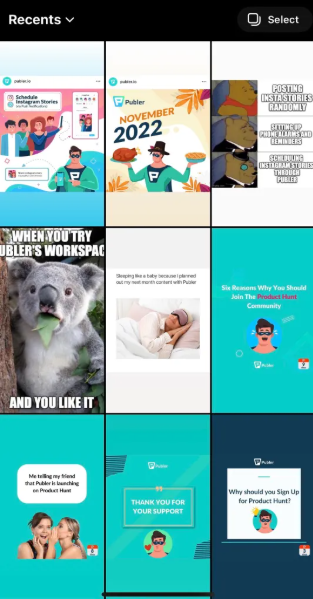
- Add your first story.
- After posting, tap Your Story again.
- Repeat to add more clips or photos. They’ll appear in order.
Use Layout or Create mode
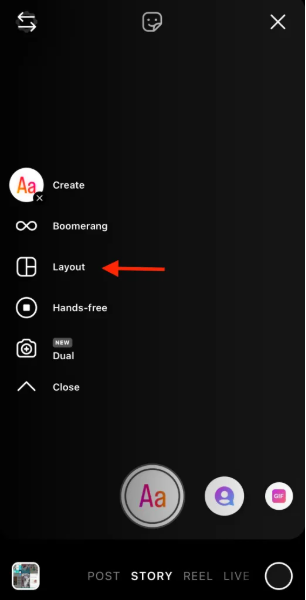
- Inside the Story camera, swipe options like Layout (for grids) or Create (for text, stickers, etc.).
- You can combine multiple visuals into a single story slide.
- Tips
- Each story slide lasts up to 15 seconds for videos.
- Stories stay live for 24 hours.
You can rearrange before posting, but once posted, the order is fixed.
How to Add Stickers and Music to Instagram Picture Stories?
Add Stickers to a Photo Story
- Open Instagram → swipe right to Story.
- Take a photo or pick one from your gallery.
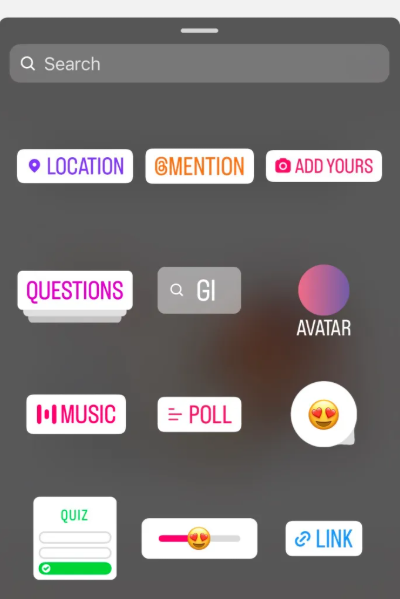
- Tap the sticker icon (square smiley at the top).
- Choose what you want:
- GIFs
- Location
- Polls / Questions
- Emojis
- Time, weather, etc.
- Tap a sticker to add it, then drag, resize, or rotate it.
Add Music to Your Story
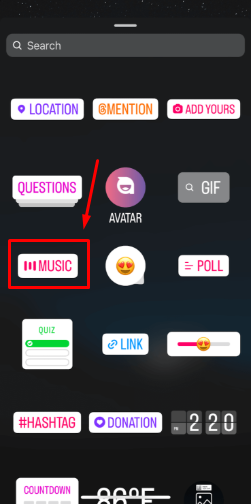
- After selecting your photo, tap the sticker icon again.
- Tap Music.
- Search for a song or browse suggestions.
- Select the part of the song you want (you can trim it).
- Choose how it appears:
- Lyrics on screen
- Album cover
- Small music bar
- Tap Done and position it on your story.
- Extra tips
You can add multiple stickers + music together on one story.
Pinch the music sticker to resize it.
If music isn’t available, it might be due to the region/account type.